Checkpoint Zero Trust: Architecture, ZTNA, And Deployment

Healthcare organizations handle some of the most sensitive data on the planet, and the old "trust everything inside the perimeter" security model has proven dangerously inadequate. Checkpoint Zero Trust offers a framework built on a simple principle: never trust, always verify, every user, device, and connection, regardless of where it originates.
For teams building healthcare applications that connect to EHRs, security isn't optional, it's foundational. At SoFaaS™, we provide managed SMART on FHIR integration infrastructure with HIPAA-compliant, SOC 2 Type II certified security baked in, because we understand that protecting patient data requires rigorous verification at every layer. Check Point's Zero Trust architecture aligns with this same philosophy, applying continuous authentication and least-privilege access across the entire network stack.
This article breaks down Check Point's Zero Trust architecture, explains how its Zero Trust Network Access (ZTNA) solution works in practice, and walks through deployment strategies. Whether you're evaluating security frameworks for your healthcare platform or looking to understand how Zero Trust principles apply to EHR integrations and clinical data flows, you'll find a clear, practical overview of what Check Point brings to the table and how to put it to work.
What Check Point means by zero trust
Check Point treats zero trust not as a single product, but as a security strategy that spans users, devices, applications, and network segments. No connection gets automatic trust just because it originates inside your corporate network. Every request must prove its legitimacy before gaining access to any resource, and that verification happens continuously, not just at login.
The "never trust, always verify" foundation
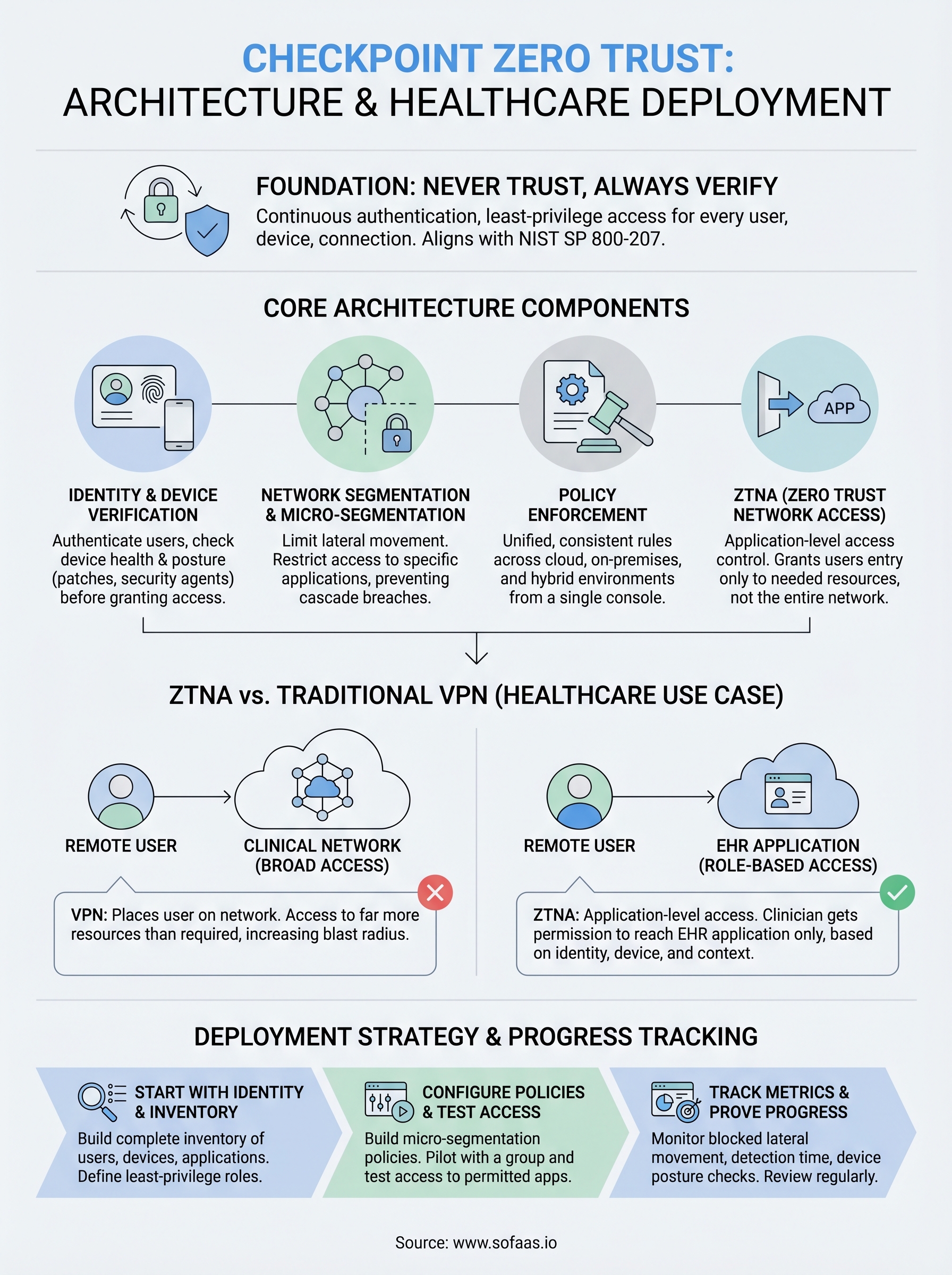
Checkpoint zero trust builds on the principle that perimeter-based security is no longer sufficient for modern environments. Traditional firewalls assume that anything inside the network boundary is safe, but that assumption breaks down the moment an attacker gains a foothold inside, or when a legitimate user's credentials get compromised. Check Point's approach requires each connection to authenticate, pass device health checks, and meet context-aware policy rules before receiving access.
Zero trust isn't a product you install; it's a posture you build into every layer of your security architecture.
This framework aligns with NIST Special Publication 800-207, the federal standard for zero trust architecture. Check Point maps its solutions to these guidelines, covering identity verification, device posture assessment, and micro-segmentation as foundational controls rather than optional add-ons.
How Check Point extends the model
Check Point goes beyond basic identity checks by incorporating threat intelligence and behavioral analytics into access decisions. If your user authenticates successfully but then starts downloading unusual volumes of data, the system can flag that session and reduce its access scope in real time. This moves your security posture from static rules to dynamic, risk-based enforcement that adapts as conditions change.
Your organization also benefits from Check Point's unified management layer, which applies zero trust policies across cloud, on-premises, and hybrid environments from a single console. Rather than managing separate tools for each environment, you get consistent policy enforcement regardless of where your workloads live or where your users connect from. That consistency matters most in complex environments like healthcare platforms, where both clinical staff and third-party applications need access to sensitive data under strict controls.
Map the core architecture components
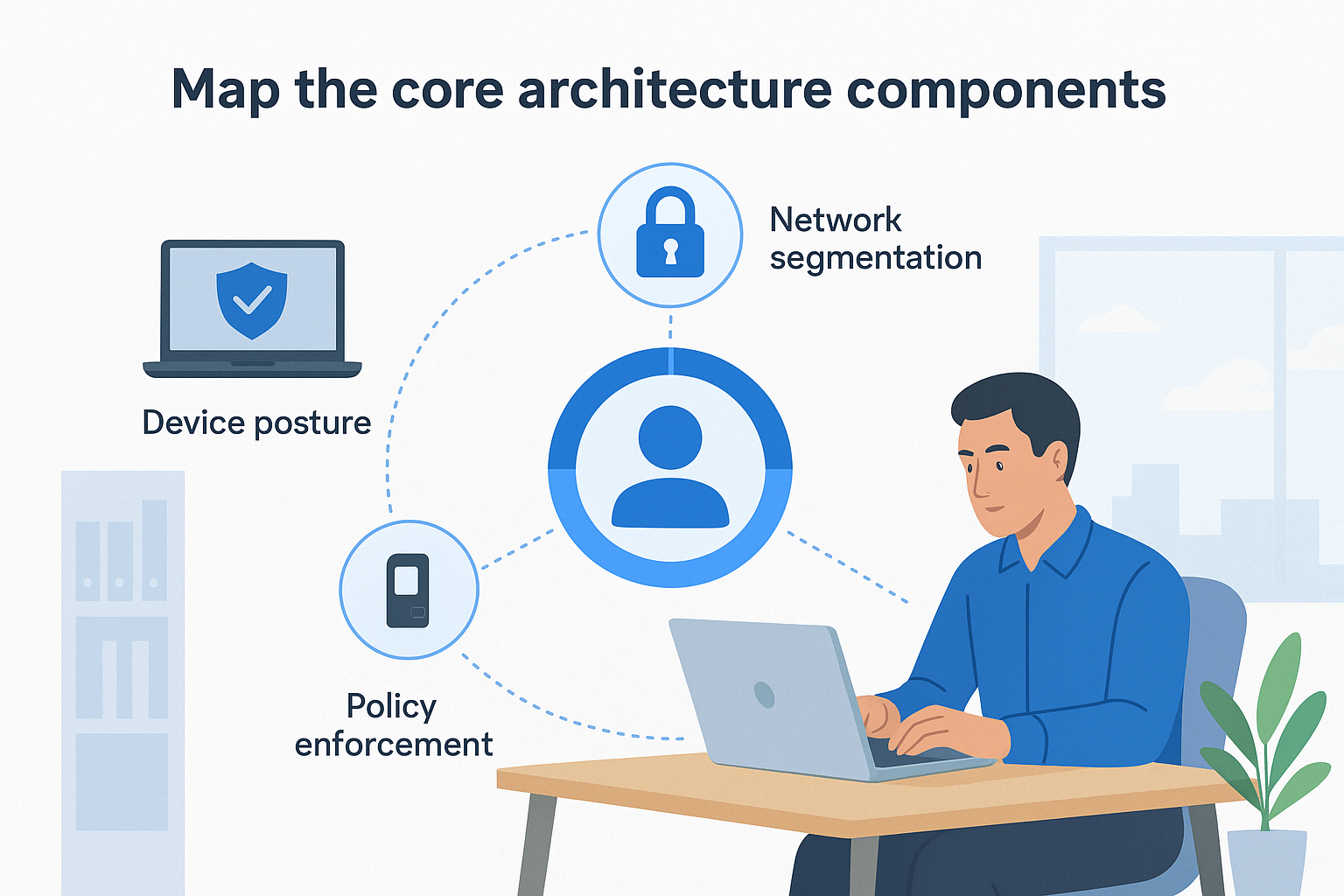
The checkpoint zero trust architecture organizes its controls around four interconnected layers that work together to enforce continuous verification across your environment. Understanding each component helps you pinpoint where your current security gaps exist and determine which Check Point tools address them most directly.
Identity and device verification
Identity verification sits at the center of Check Point's architecture. Every user must authenticate through a supported identity provider, and the system then cross-references that authentication against device posture data, checking whether the endpoint runs current patches, carries the required security agent, and meets your organization's compliance baseline before granting any access.
Network segmentation and policy enforcement
Once identity and device checks pass, Check Point enforces micro-segmentation to limit lateral movement across your environment. Rather than placing a user on a broad network segment, the platform restricts access to only the specific applications and resources that the user's role requires, preventing any single compromised credential from opening your entire network.
Micro-segmentation removes the blast radius of a compromised account by ensuring that one breach cannot cascade across your entire infrastructure.
Policy enforcement happens through Check Point's unified policy engine, which applies consistent rules across cloud workloads, on-premises servers, and remote endpoints. You define access policies once, and the engine applies them everywhere your users connect, eliminating the risk of inconsistent rules that attackers can exploit when moving between different parts of your environment.
Use ZTNA to control access without a full VPN
ZTNA replaces the broad network access that VPNs provide with application-level access control that grants users entry only to the specific resources they need. Check Point's ZTNA solution sits within the checkpoint zero trust framework as the tool that enforces least-privilege access for remote users without routing all their traffic through a central gateway.
How ZTNA differs from a traditional VPN
A VPN places a remote user on your network segment, which means that user can reach far more resources than their role requires. ZTNA flips that model by starting with zero access and adding only the specific application permissions that match the user's identity and device posture. Your users connect directly to individual applications, and lateral movement across the network becomes nearly impossible because no broad network tunnel exists to exploit.

ZTNA grants access to an application, not to the network behind it, which removes the implicit trust that makes VPNs a liability in modern threat environments.
Applying ZTNA in a healthcare context
Healthcare platforms present a direct use case for ZTNA: a clinician accessing patient records needs permission to reach the EHR application, not the entire clinical network. Check Point's ZTNA enforces role-based access policies that factor in the user's credentials, device health, and location context, allowing your team to approve each session against real-time conditions rather than issuing permanent broad-access credentials that accumulate risk over time.
Deploy Check Point zero trust step by step
Rolling out checkpoint zero trust works best when you follow a phased approach rather than trying to enforce every control on day one. Start by mapping what you have, then layer in verification controls before expanding to full enforcement across your environment.
Start with identity and inventory
Your first step is building a complete inventory of users, devices, and applications that require access to your environment. Connect Check Point's identity verification layer to your existing identity provider, whether that's Microsoft Azure AD or another supported directory, so that authentication policies apply immediately to every login attempt. Without this foundation, your policies have nothing reliable to enforce against.
A complete asset inventory is the prerequisite that every other zero trust control depends on. Skip it and your policies will have gaps from the start.
Next, assign least-privilege roles to each user group based on the specific applications they actually need. Document these role definitions before writing any policies, because clean role boundaries make the segmentation step significantly faster to configure and audit.
Configure policies and test access
Once your roles are defined, build your micro-segmentation policies inside Check Point's unified management console and apply them to a pilot group before expanding. Run access tests against each role to confirm that users can reach only their permitted applications and that lateral movement between segments is blocked. Catching policy gaps at the pilot stage is far less costly than discovering them after a full rollout.
Avoid common pitfalls and prove progress
Rolling out checkpoint zero trust exposes gaps you didn't know existed, and those gaps often come from the same mistakes organizations repeat across every deployment. Knowing where teams routinely stumble helps you sidestep delays and wasted effort before they cost you real time.
Watch for scope creep and over-permissioned roles
The most common mistake teams make is granting broader access than roles actually require because narrowing permissions feels risky or politically difficult. Push through that discomfort. Every extra permission you leave in place is an attack surface you're choosing to accept. Start with the tightest scope you can justify, then expand deliberately as you confirm what each role genuinely needs.
Scope creep in access policies is the quiet reversal of zero trust. It happens gradually, and it compounds every time someone requests an exception without a documented justification.
A close second is skipping the documentation step for policy exceptions. When you make an exception, record the business reason, the expiration date, and the person who approved it. Without that record, exceptions accumulate silently until your segmentation policies no longer reflect reality.
Track metrics to demonstrate progress
Your stakeholders need evidence that zero trust controls are working, and the right metrics make that case clearly. Monitor the number of blocked lateral movement attempts, average time to detect unauthorized access, and the percentage of users covered by verified device posture checks.
Review these numbers on a regular cadence, quarterly at minimum, so you can show measurable improvement and catch any regression before it becomes a security incident.
Next steps
The checkpoint zero trust framework gives you a concrete path from implicit trust to verified, role-based access across every user, device, and application in your environment. The architecture works by layering identity verification, device posture checks, micro-segmentation, and ZTNA into a unified enforcement model that catches threats before they spread. Start with your identity inventory, define tight role boundaries, and expand policies in controlled phases rather than attempting a full rollout at once.
For healthcare teams building applications that connect to EHRs, security and compliance requirements make zero trust controls directly relevant to your integration layer, not just your internal network. If you need a managed integration platform that handles HIPAA compliance and secure data access without requiring you to build that infrastructure from scratch, launch your SMART on FHIR app and see how SoFaaS fits into your security stack from day one.
The Future of Patient Logistics
Exploring the future of all things related to patient logistics, technology and how AI is going to re-shape the way we deliver care.
Thank you! Your submission has been received!
Oops! Something went wrong while submitting the form.